Release Version 25.12.1
Date: 15 December 2025
Note that it can take 24 hours or so for the new version to become available on the Apple and Google Play app stores
END USER APP
File Links Opening in Browser Not App on Apple & Android Devices
We fixed an issue that was causing URL links to files and folders in Docs On Tap to open in the browser instead of the installed app on Apple and Android devices.
If you still experience this issue after upgrading to this release, please uninstall and re-install the app. This will cause the app to load the necessary URL link association. This step should only be undertaken if the issue still persists.
Memory Issues Causing Document To Reload
This release has a fix for the memory issue that was causing documents to crash and reload on (mainly) Apple devices. There is a another related memory issue that has also been identified by the component vendor in the course of addressing this issue. They are actively working on a fix for that as well and they hope to provide that to us by late-December. Once we receive that we will provide another release of the app, early in the new year. If you do continue to experience any issues with documents reloading then please let us know via email to our Help Desk: support@harboursoftware.com.au.
Saved Zoom Levels
We now restrict saved zoom values for a document to 600% to avoid issues loading the document if an extraordinarily high value is inadvertently set.
Characters in File Name Causing Issues with File Download and Emailing
- We fixed an issue where a file with a dot/period (".") in the file name would not download due to the app misinterpreting the file extension.
- We fixed an issue where files that had multiple ampersands ("&") in the file name would generate an error if you attempted to email them from the app.
Disabling @Mention Functionality
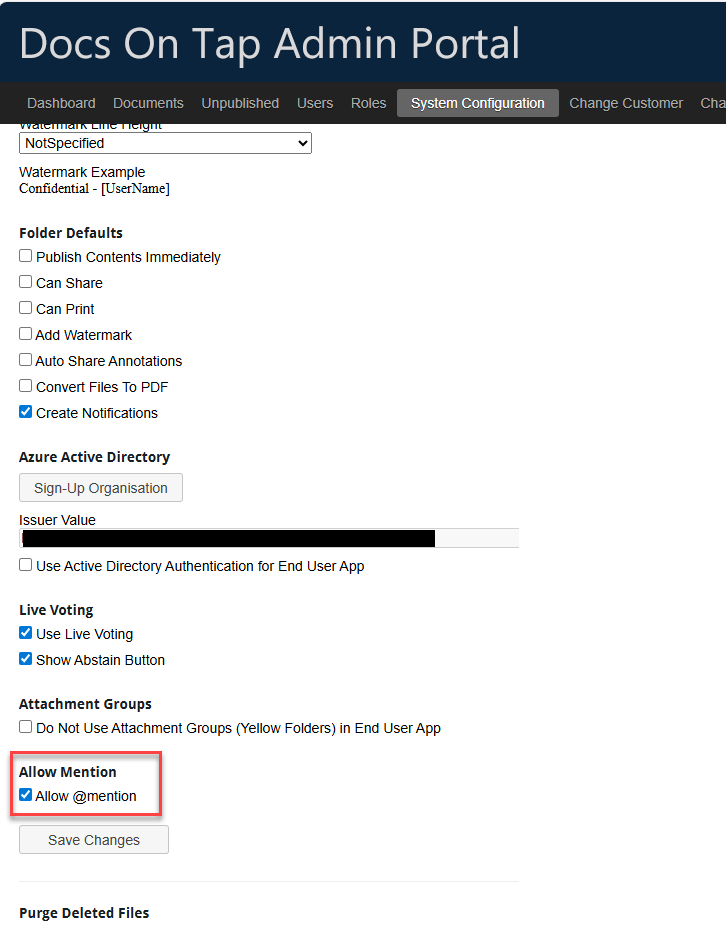
The ability to @mention other users in annotations can now be turned off via System Configuration in the Admin Portal. By default it remains turned on for all sites.
Confidential Watermark
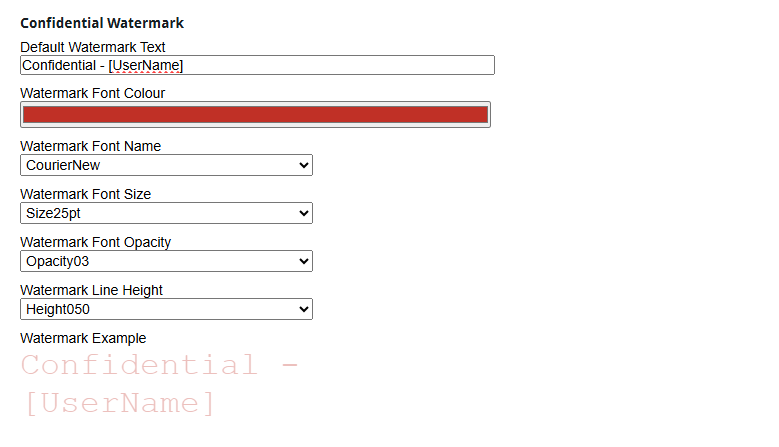
The Confidential Watermark font, font size, opacity and line height can now all be modified via System Configuration in the Admin Portal. Changes to the font, font size and opacity are reflected in the Watermark Example displayed on the System Configuration page. The line height impacts on how close together the diagonal lines of watermark text appear on the page - a higher value will have more space between each line of text.
ADMIN PORTAL
Dashboard > Logs
We fixed a bug that was incorrectly recording roles being removed from a user, when there was actually no change to the user's role.