Release Version 26.03.1
Date: 12 March 2026
Note that it can take 24 hours or so for the new version to become available on the Apple and Google Play app stores
END USER APP
Free Text Search Using a Phrase
When searching across all documents you will now be prompted to add quotation marks if it looks like your search criteria is a phrase, rather than a single word.
Memory Restricted Mode
In the rare case that you are still experiencing performance issues with viewing of documents, we have added a new option: Settings > Preferences > Enable Memory Restricted Mode. This mode is optimised for devices with low memory resources. The setting is device specific i.e. if you have Docs On Tap installed on multiple devices then the setting will only apply to the device that you enable it on.
Files with "Cancel" in Name
We fixed an obscure bug that prevented files with the text "Cancel" in their title from being displayed.
ADMIN PORTAL
Moving Documents and Attachments
We have fixed an issue that didn't remove a document or attachment from the End User App, if it was moved to a folder that the user didn't have access to. The workaround for this was to run "Do full refresh of user's local database for all users". This will no longer be necessary.
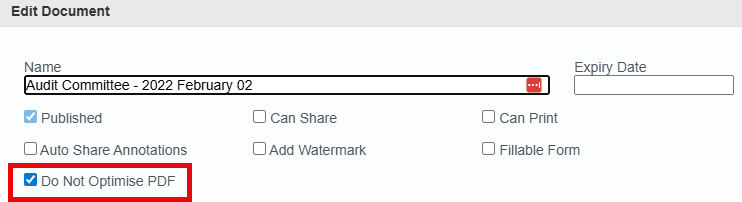
PDF Optimisation of Documents and Attachments
Occasionally a file will fail at the PDF optimisation stage, this will halt publishing of documents to end users. We've added a new checkbox to turn off optimisation for affected documents or attachments if this occurs.
Adding New Folder - Inherit Settings from Parent
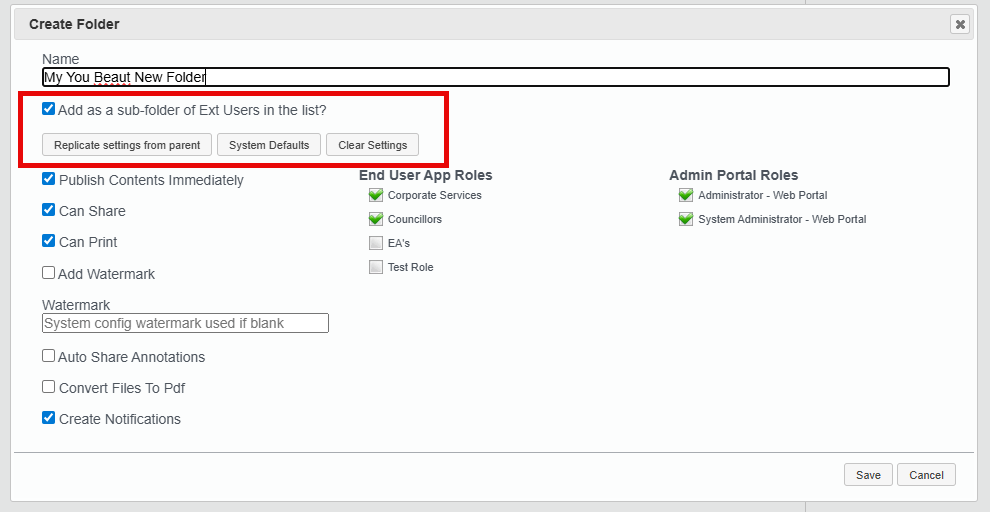
When adding a new folder we have made the following changes:
- The "Add as a sub-folder..." checkbox will be checked by default. This checkbox has also been moved to the top of the panel.
- All the settings from the parent folder will automatically be inherited by the new folder, include End User App Roles and Admin Portal Roles.
- Three new buttons are available:
- Replicate settings from parent: this is the default as described above.
- System Defaults this will cause all roles to be unchecked and the other settings to match those configured in System Configuration > Folder Defaults.
- Clear Settings: this will uncheck all checkboxes, including roles.
Display Extra Document & Attachment Data
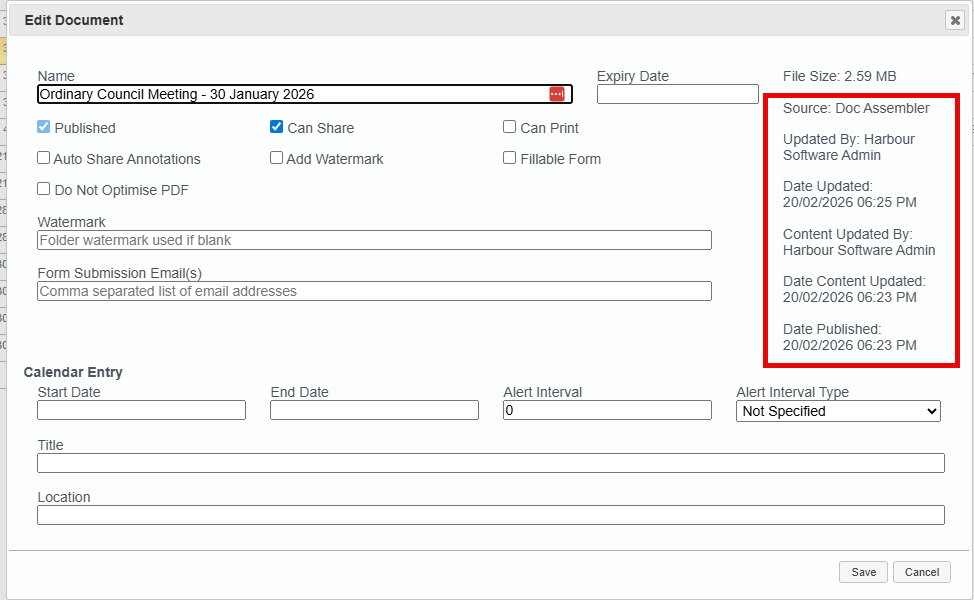
We now display the following extra metadata on the Document and Attachment Edit panels:
- Source i.e. direct upload or Doc Assembler.
- Datetime metadata was updated, and by whom.
- Datetime file content was updated, and by whom.
- Datetime file was published.
Miscellaneous
- We fixed an issue where scroll bars were not appearing in the list of Documents and Attachments when the file upload panel was open.